 JUICY LABS

Before and after
Our demo recording "Vocal 2", recorded through the real Juicy De-Ess. Switch while it plays.
Amount 30 %, Focus 6.50 kHz
The plugin's own output at fixed settings. Levels are not matched: what you hear is what the plugin does.
What you can do
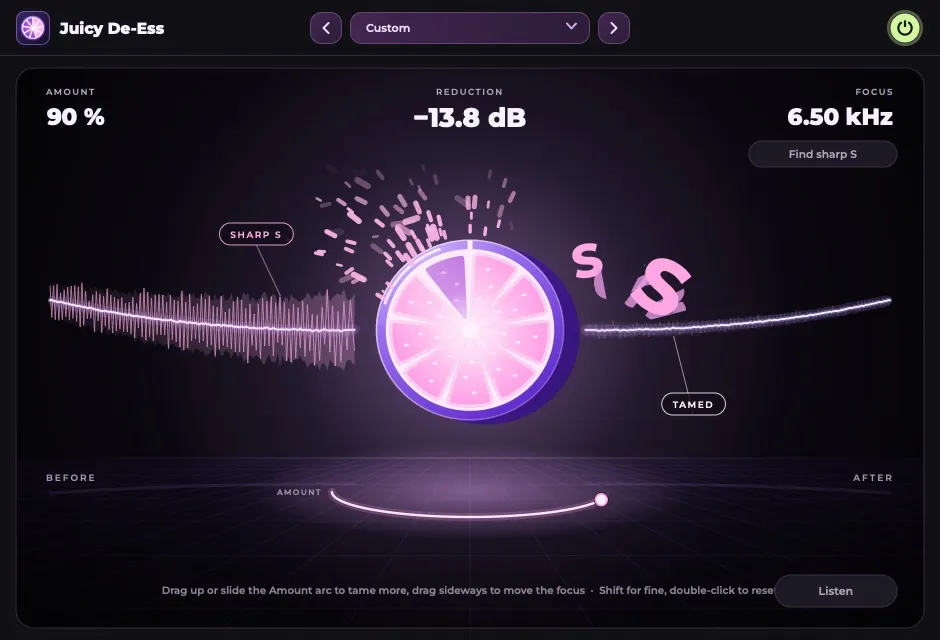
Amount
How much. Drag up or down on the picture.
Focus
Where it listens, 3 to 12 kHz. Drag sideways.
Find sharp S
Press it while the vocal plays and it sets Focus for you.
Listen
Plays only what is being removed.
More views
What do I need?
macOS 11 or later (Apple Silicon or Intel) with a program that loads AU or VST3, or Windows 10 or 11 (64-bit) with VST3.
Does it add delay?
8 ms at every setting, reported to your music program, which compensates on playback. Monitoring a live microphone through it adds those 8 ms.
Which presets come with it?
Six: Gentle, Firm, Heavy, Bright Voice, Dark Voice, Soft Sh.
What changed?
1.0.2 (17 November 2026): The window can be resized from 70 % to 200 %.
1.0.1 (16 November 2026): Installs on macOS 11 Big Sur and later, Apple Silicon and Intel.
1.0.0 (15 November 2026): First release: one view, four controls, six presets.
Get Juicy De-Ess
Free until 30 November 2026, then €39 incl. VAT. Keep what you download, with free updates for version 1.


