 JUICY LABS
Before and after
Our demo recording "Full mix", recorded through the real Juicy EQ. Switch while it plays.
Mix Bus preset. Low shelf +1.5 dB at 90 Hz, Bell -1.0 dB at 500 Hz (Q 0.6), High shelf +1.5 dB at 12 kHz, Tame off, Auto gain on, EQ Amount 100 %, Output 0.0 dB
The plugin's own output at fixed settings. Levels are not matched: what you hear is what the plugin does. The recording is turned down 4 dB before the plugin, the same for Before and After, to leave headroom.
What you can do
Simple view
Four bands, Low, Body, Presence and Air, that go anywhere from 20 Hz to 20 kHz.
Reacting bands
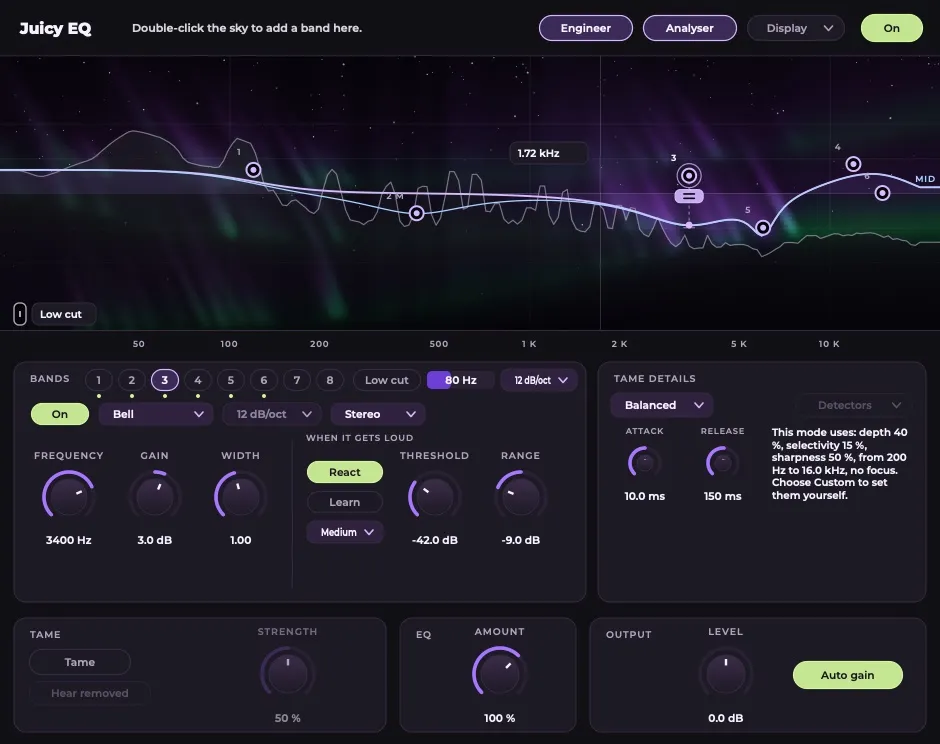
A band can react only when its region gets loud. Learn sets it from your track.
Tame
Turns down what sticks out of the sound, only while it is there. Hear removed plays what it takes away.
Engineer view
Eight bands with type, slope, width, Stereo, Mid or Side, and dynamics.
More views
What do I need?
macOS 11 or later (Apple Silicon or Intel) with a program that loads AU or VST3. The Windows version is coming.
Does it add delay?
None while Tame is off. Switching Tame on adds a short delay, reported to your music program.
Which presets come with it?
42 presets in Vocal, Drums, Bass, Guitar, Keys, Mix Bus and Fixes, with A/B compare.
What changed?
1.0: First release.
Get Juicy EQ
Free until 30 November 2026, then €39 incl. VAT. Keep what you download, with free updates for version 1.


