 JUICY LABS

Before and after
Our demo recording "Guitar", recorded through the real Juicy Dist. Switch while it plays.
Amount 60 %, Tone Neutral, Mix 100 %, Output 0.0 dB
The plugin's own output at fixed settings. Levels are not matched: what you hear is what the plugin does.
What you can do
Simple view
Pick a character, then drag the shape: up for more, sideways for a darker or brighter tone.
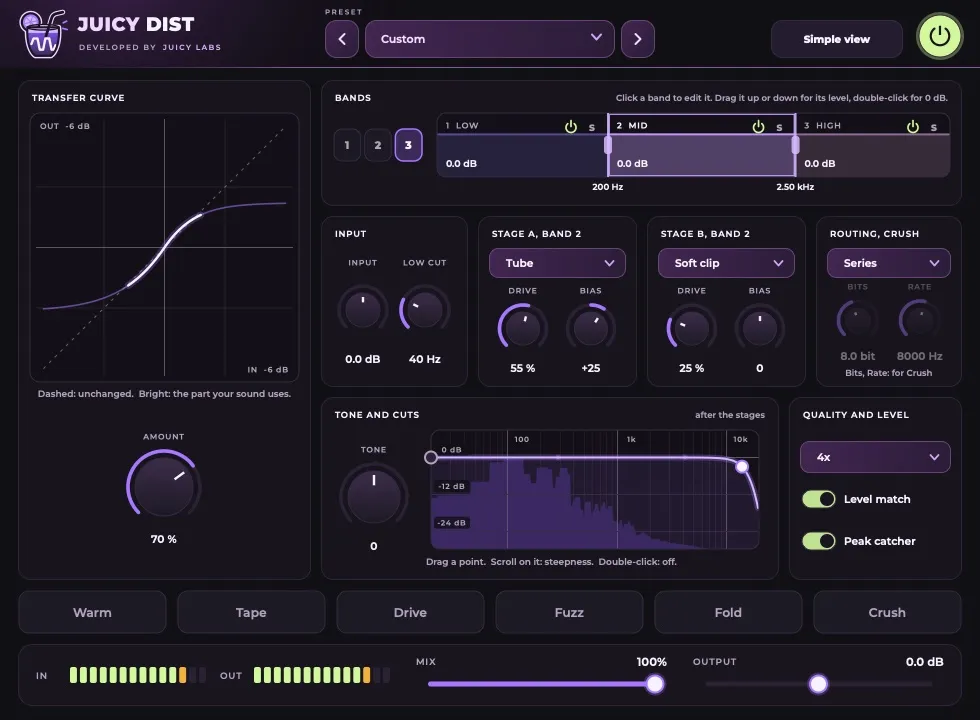
Engineer view
One to three bands, two stages per band from nine distortion types, in series or parallel.
Level match
Keeps the loudness steady while you change the amount, so you compare tone, not volume.
Oversampling
2x, 4x or 8x.
More views
What do I need?
macOS 11 or later (Apple Silicon or Intel) with a program that loads AU or VST3, or Windows 10 or 11 (64-bit) with VST3.
Does it add delay?
65 samples at every setting, reported to your music program.
Which presets come with it?
102 presets in Vocals, Drums, Bass, Instruments and FX.
What changed?
1.0.2 (17 November 2026): The window can be resized from 60 % to 200 %.
1.0.1 (16 November 2026): Installs on macOS 11 Big Sur and later, Apple Silicon and Intel.
Get Juicy Dist
Free until 30 November 2026, then €39 incl. VAT. Keep what you download, with free updates for version 1.


